
Hardware wallet crypto storage is the most secure method for maintaining control over your cryptocurrency by keeping private keys offline in a dedicated physical device. The industry term for this approach is "cold storage," and it makes remote hacking nearly impossible. Hardware wallets do not store cryptocurrencies themselves. Your assets live on the blockchain. The device holds the private keys that prove ownership and authorize transactions. Brands like Ledger, Trezor, and Coldcard have built entire product lines around this principle, and understanding how they work is the first step toward genuine crypto security.
What is hardware wallet crypto storage?
Cold storage works by isolating your private keys inside a tamper-resistant chip that never connects directly to the internet. When you sign a transaction, the signing happens inside the device. The signed transaction is then broadcast to the network, but the key itself never leaves the hardware. This architecture means that even if your computer is infected with malware, an attacker cannot extract your keys.
Self-custody removes counterparty risk by eliminating reliance on exchanges or third parties for asset security. This is the core philosophical shift from leaving crypto on an exchange. When you hold your own keys, no exchange hack, bankruptcy, or account freeze can touch your funds. The tradeoff is that you bear full responsibility for security and recovery.

The backup seed phrase is the master key for recovering all crypto accounts on a hardware wallet. Ledger describes it as a 24-word Master Key that must remain offline at all times. Lose the device and you can recover everything with the seed phrase. Lose the seed phrase and your funds are gone permanently, regardless of which device you own.
What you need before setting up hardware wallet crypto storage
Preparation prevents the most common and costly mistakes. Before you plug in any device, gather the right tools and adopt the right mindset.
What to have ready before you start:
- Purchase your hardware wallet directly from the manufacturer's official website or an authorized retailer. Buying from third-party marketplaces like eBay or Amazon third-party sellers risks receiving a pre-configured or tampered device.
- Download the companion app from the official source only. Ledger uses Ledger Live, and Trezor uses Trezor Suite. Both are available exclusively from their respective official websites.
- Prepare physical materials for your seed phrase backup. At minimum, use the paper card included with the device. For higher-value holdings, invest in a metal backup product like Cryptosteel or Bilodeau plates that resist fire and water.
- Understand what a PIN code does. The PIN protects the device from physical theft. It does not protect your funds if someone has your seed phrase.
- Commit to keeping all backups offline. No photos, no cloud storage, no typing the seed phrase into any app or website.
Pro Tip: Order your hardware wallet with a credit card and check the packaging for tamper-evident seals before opening. If the seal is broken or the device shows signs of prior use, contact the manufacturer immediately and do not initialize it.
The security mindset matters as much as the hardware. A Ledger Nano X sitting next to a seed phrase photographed on your phone provides almost no real protection. The device is only as secure as the backup discipline surrounding it.
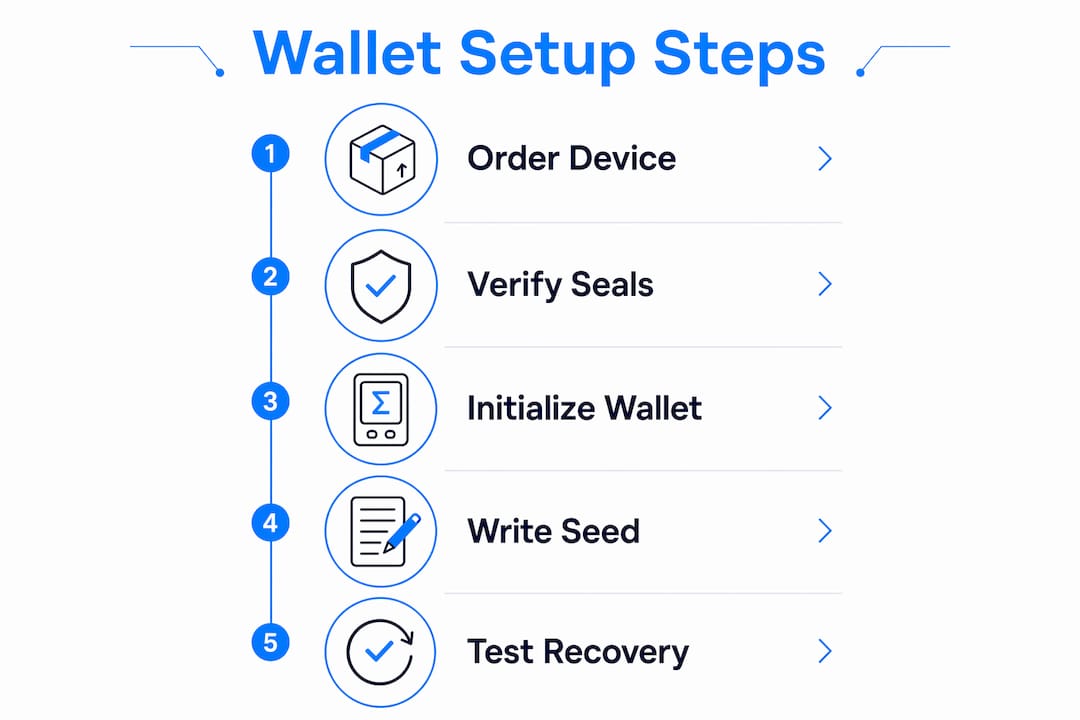
How to set up and secure your hardware wallet step by step
Setup takes roughly 20 minutes if you follow the process carefully. Rushing through it is where most people create vulnerabilities they do not discover until it is too late.
- Inspect the packaging. Check that all tamper-evident seals are intact. The device should show no signs of prior initialization. A legitimate hardware wallet will never arrive with a pre-written seed phrase.
- Install the official companion app. Go directly to ledger.com or trezor.io and download Ledger Live or Trezor Suite. Avoid any third-party download links.
- Create a new wallet on the device. Select "Create new wallet" rather than "Restore." The device will generate a fresh seed phrase internally.
- Write down your seed phrase. Record every word in exact order on the provided card. Do not type it anywhere. Do not take a photo.
- Make at least two physical copies. Store them in separate locations, such as a home safe and a trusted family member's secure location.
- Set a strong PIN. Choose a PIN that is not a birthday or obvious sequence. Most devices allow 4 to 8 digits.
- Perform a test transaction. Send a small amount of crypto to the wallet address, then send a small amount back out. Confirm the process works before moving significant funds.
- Verify your seed phrase with a dry-run restore. Some devices allow you to check your seed phrase without a full reset. If yours does not, consider performing a full reset and restore with a small test amount to confirm recovery works.
"Any exposure or digital entry of the recovery seed compromises all derived keys. Never type or upload your seed phrase in apps or websites." — Hardware Wallet Setup Guide 2026
Pro Tip: Skip the passphrase feature on your first setup. Passphrases add a powerful extra layer of security, but they also add complexity. If you forget the passphrase, the funds in that wallet are unrecoverable. Master the basics first.
How do the top hardware wallets compare in 2026?
Hardware wallet options vary significantly across security architecture, supported assets, and ease of use. The right device depends on your portfolio size, technical comfort, and whether you hold Bitcoin exclusively or a broad range of assets.
| Device | Security model | Best for |
|---|---|---|
| Ledger Nano S Plus | Secure Element chip (CC EAL5+), closed firmware | Multi-asset holders wanting proven hardware security |
| Ledger Nano X | Secure Element chip, Bluetooth connectivity | Users who want mobile management alongside desktop |
| Trezor Safe 3 | Open-source firmware, secure element added | Users who prioritize code transparency and auditability |
| Trezor Safe 5 | Open-source firmware, touchscreen, secure element | Beginners wanting the easiest Trezor experience |
| Coldcard Mk4 | Bitcoin-only, fully air-gapped, PSBT signing | Advanced Bitcoin holders wanting maximum isolation |
| OneKey Pro | Biometric authentication, quantum-ready design | Forward-looking users concerned about long-term threats |
Blockstream Jade Core and OneKey Pro use offline signing and QR code workflows to keep private keys completely isolated from any connected device. This air-gapped approach means the signing device never touches a USB cable or Bluetooth connection during normal operation. For Bitcoin-focused holders, this represents the current ceiling of consumer-grade cold storage security.
Key distinctions to weigh when choosing:
- Secure Element chips (used by Ledger and Trezor Safe 3/5) are certified tamper-resistant chips that make physical key extraction extremely difficult, even with sophisticated lab equipment.
- Open-source firmware (Trezor's defining advantage) allows independent security researchers to audit the code. Ledger's firmware is proprietary, which some users consider a trust tradeoff.
- Air-gapped operation (Coldcard, Jade Core) eliminates USB and Bluetooth attack surfaces entirely, at the cost of a more complex signing workflow.
No single device is objectively best. A Trezor Safe 5 is the right call for someone new to self-custody who wants a guided experience. A Coldcard Mk4 is the right call for a Bitcoin-only holder who has already mastered the basics and wants to remove every possible attack vector.
What are the best practices for seed phrase backup and long-term security?
Backup phrase security is the single point of failure in hardware wallet setups. Device features matter, but they cannot replace disciplined backup practices. This is where most long-term holders eventually fail, not through hacking but through loss.
Seed phrase backup rules that experienced holders follow:
- Never store your seed phrase digitally. No password managers, no encrypted files, no cloud notes. If it touches a connected device, it is at risk.
- Use metal backup products for any holding above a few hundred dollars. Products like Cryptosteel improve seed phrase durability far beyond paper, surviving house fires and flooding that would destroy a written card.
- Store multiple copies in geographically separate locations. A single backup in your home safe fails if the house burns down. A second copy at a trusted relative's location or a bank safety deposit box solves this.
- Verify backup presence periodically to avoid irrecoverable loss. Set a calendar reminder every six months to confirm you can locate and access your backups.
- For large portfolios, consider a multisignature setup. Advanced security setups for large holdings may include multisig wallets combining multiple hardware wallets, so no single device or seed phrase controls the entire balance.
Pro Tip: Write a simple recovery document for a trusted family member that explains what a hardware wallet is, where the device is stored, and where to find the seed phrase backup. Do not include the seed phrase itself in this document. The goal is to prevent your crypto from becoming permanently inaccessible if something happens to you.
Non-custodial wallet architectures intentionally prevent third parties from reconstructing private keys without the user's backup. This is by design. No manufacturer can help you recover funds without your seed phrase. That responsibility belongs entirely to you.
Key takeaways
Hardware wallet security depends on backup discipline first and device selection second. Every other security measure is secondary to keeping your seed phrase offline, physically durable, and geographically distributed.
| Point | Details |
|---|---|
| Keys stay on the device | Hardware wallets store private keys offline, not the crypto itself, which lives on the blockchain. |
| Seed phrase is the real key | Losing your seed phrase means permanent loss of access, regardless of which device you own. |
| Buy only from official sources | Third-party marketplace purchases risk receiving tampered or pre-configured devices. |
| Metal backups outlast paper | Products like Cryptosteel protect seed phrases from fire and water damage that destroy paper cards. |
| Test before you trust | Always perform a small test transaction and a dry-run seed phrase verification before moving significant funds. |
Why backup discipline matters more than your device choice
I have watched people spend weeks researching the best hardware wallets, comparing Ledger versus Trezor versus Coldcard, and then photograph their seed phrase with their phone on day one. The device choice is almost irrelevant at that point. The security model collapsed before the first transaction.
The uncomfortable truth is that hardware wallet security is 80% behavioral and 20% technical. The Secure Element chip in a Ledger Nano X is genuinely impressive engineering. But it does nothing to protect you if your seed phrase is stored in a Google Doc or written on a sticky note inside your laptop bag. I have seen both.
My honest recommendation for anyone starting out: buy a Trezor Safe 3 or Ledger Nano S Plus, write your seed phrase on the included card, put it in a fireproof bag, and put that bag somewhere only you know about. That setup, done correctly, is more secure than a Coldcard Mk4 with a poorly managed backup. Simplicity executed well beats complexity executed poorly every time.
Once you are comfortable with the basics, then explore passphrases, multisig, and air-gapped signing. Those tools are powerful, but they add recovery complexity. A passphrase you forget is as final as a lost seed phrase. Build the foundation first, then add layers.
Finally, tell one trusted person that you hold crypto and that there is a recovery process. You do not need to reveal your seed phrase or its location. You just need someone who knows to look for it if something happens to you. That conversation takes five minutes and could save your estate from losing everything.
— Ahmed
Start buying crypto securely with Sigma-one
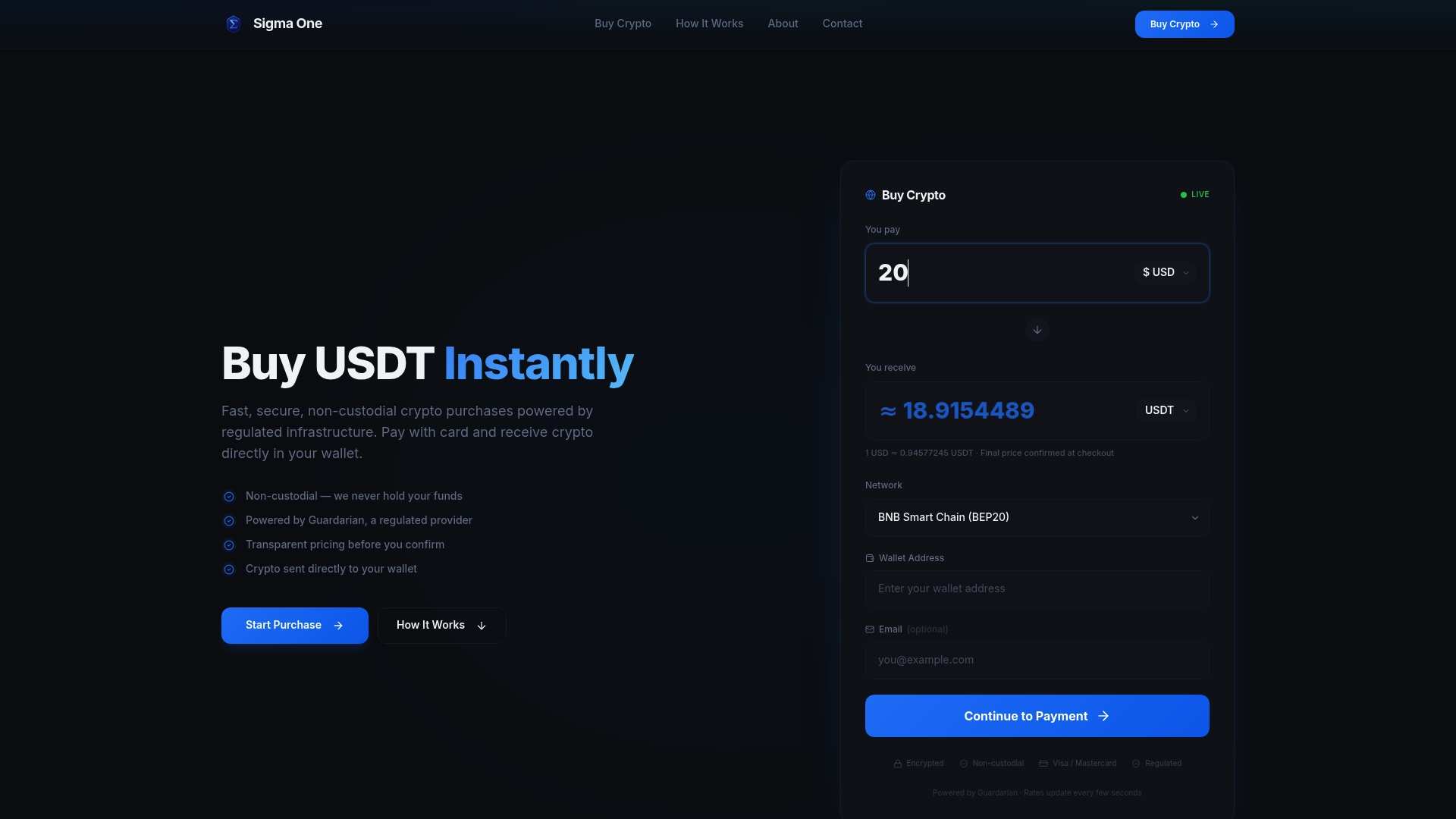
Once your hardware wallet is set up and your seed phrase is secured, the next step is acquiring crypto that goes directly into your cold storage. Sigma-one makes that process straightforward. Sigma-one processes purchases through Guardarian, a regulated payment service, and sends crypto directly to the wallet address you provide. There are no custodial accounts, no exchange login, and no waiting for withdrawal approvals. You see the exact exchange rate and fees before you confirm. For anyone who wants to buy USDT instantly and send it straight to a hardware wallet address, Sigma-one removes every unnecessary step between your payment and your cold storage.
FAQ
What does a hardware wallet actually store?
A hardware wallet stores private keys, not cryptocurrency. The crypto itself lives on the blockchain, and the private keys are what prove ownership and authorize transfers.
What happens if I lose my hardware wallet?
Losing the device does not mean losing your crypto. You can recover all funds by entering your seed phrase into a new compatible hardware wallet. The seed phrase is the only thing that cannot be replaced.
Is a hardware wallet safer than a software wallet?
Hardware wallets are significantly more secure than software wallets because private keys never touch an internet-connected device. Software wallets store keys on phones or computers that are vulnerable to malware, phishing, and remote attacks.
How many seed phrase backups should I keep?
Keep at least two physical copies stored in separate locations. Experienced holders use metal backup products like Cryptosteel for fire and water resistance, and store copies in a home safe and a secondary location such as a bank safety deposit box.
Can I use a hardware wallet with multiple cryptocurrencies?
Most hardware wallets support multiple blockchains and assets. Ledger and Trezor both support thousands of tokens across networks including Ethereum, Bitcoin, and Solana. Coldcard is Bitcoin-only by design, which suits holders who want maximum simplicity and security for a single asset.